How to use SwimKāpiti online
Learn how to use our online service to enrol in swimming classes, manage your classes, and update your direct debit details.
Please note that when you use our online service, the changes you make to your class details will be immediate and you will receive a confirmation email of the change.
As always, if you need help our friendly reception team are here to help - email [email protected] or call us on 04 2964746.
We've saved your spot! How to register and confirm your hold for the next term
- Register or login with the same email address you receive SwimKāpiti communications. That way, you’ll be able to see your family swimming lesson history and confirm the spot we are holding for your child!
- Follow our step by step instructions - How to register and confirm your hold for term.
If you’re new to SwimKāpiti, or, you're new to our online enrolment process, you’ll be asked to create an account.
Follow our step by step instructions:
- If you've enrolled previously, register with the same email address you receive SwimKāpiti communications. That way, you’ll be able to see your family swimming lesson history.
- Enter your email address and date of birth. Your date of birth is required to check your age as only adults aged 18 years and over can create an account. The date of birth is confidential and will not be recorded. These are the details for the parent or guardian, not the child.

-
Enter your mobile phone number and receive a verification text or email
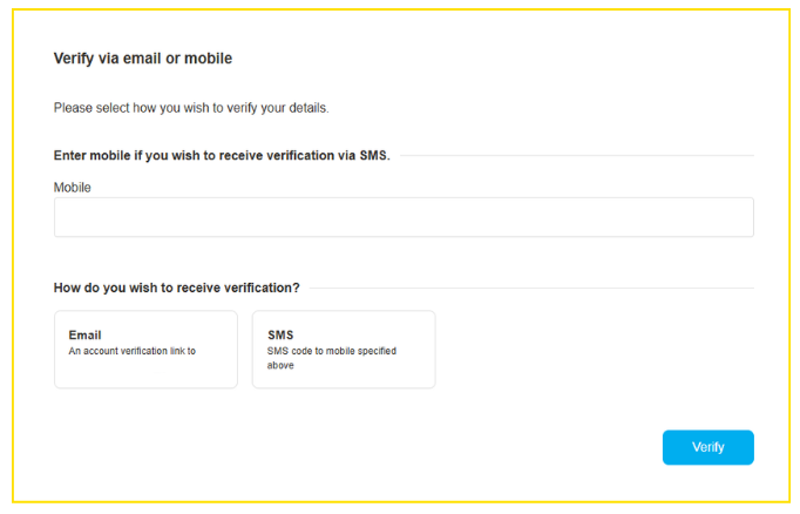
-
Enter the code received via sms or email

-
Create a password for your account
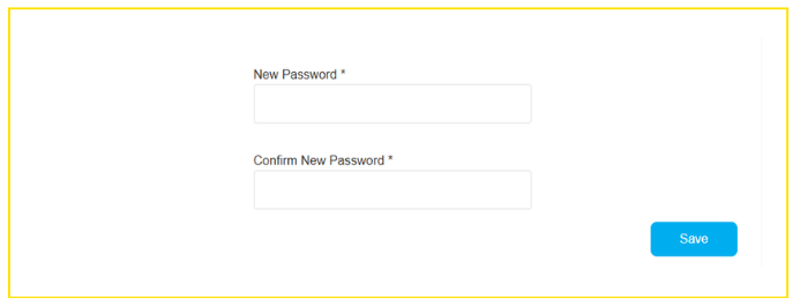
You’re in! Welcome to the SwimKāpiti online portal
After creating your account, go to the login page.
How to log in to your account [PDF 157 KB]
You can change the day or time of your child's enrolment at any time.
How to change class day and time [PDF 282 KB]
View Your Child's Progress [PDF 252 KB]
- While logged in under your account as the parent or guardian, click on Menu. Select SwimKāpiti Courses.
- Scroll to the child you wish to see the progress of.
- Click on ‘View Progress’
- View each skill and your child’s progress
- Skill shown once
- Skill shown twice
- Skill shown consistently
- Competent in skill
To view the progress of another child, please repeat the steps above.
We assess continuously and will let swimmers know when they're ready to move up to the next level. This can happen at any time, not just at the end of term.
When all the level's skills have been achieved, you will receive an email instructing you which level your swimmer is moving in to. Login to choose a day and time that suits you for the new class.
Follow our step by step instructions - Progress Your Child To The Next Level [PDF 283 KB]
You can download your swimmers certificate through the SwimKāpiti online portal.
To withdraw from a course, please email [email protected]. We need at least two weeks written notice for withdrawals.
Pop in and see us at Reception if you have missed a payment. We can take this via Eftpos, cash, or credit card payment.

Contact us
Coastlands Aquatic Centre
Phone: 04 296 4746
Address: 10 Brett Ambler Way, Paraparaumu
Ōtaki Pool
Phone: 06 364 5542
Address: Haruātai Park, 200 Mill Road, Ōtaki
Waikanae Pool
Phone: 04 296 4789
Address: 52 Ngarara Road, Waikanae
Email: [email protected]